iPhone IMEI code, battery health, and field test mode
Apple does not ship Android-style secret menus. The IMEI shortcut people search for is still *#06#, and the path Apple actually documents is Settings. Battery health and a screen check do not have dialer codes. Field Test mode is included only with the limits newer iOS puts on it.
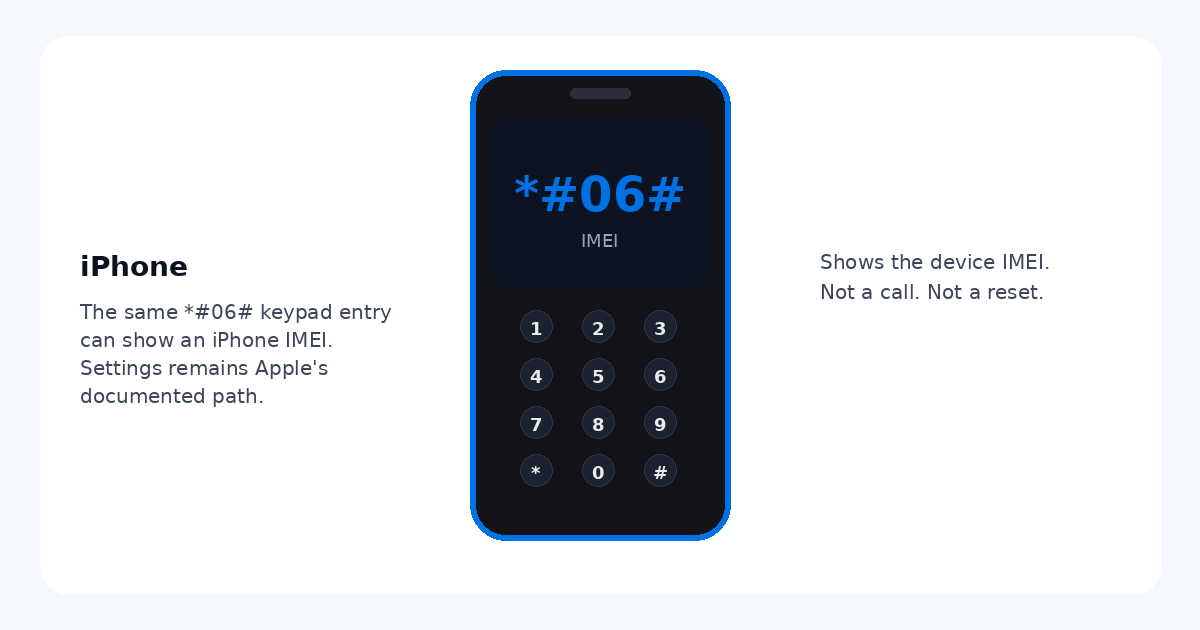
Codes that check out
| Code | What it does | Which phones |
|---|---|---|
*#06# |
Shows the IMEI. This is the same GSM display sequence Android uses. You usually do not press call. If the carrier blocks the shortcut, nothing appears. | iPhone, when the carrier allows the keypad shortcut. Apple's user guide does not rely on it. A carrier guide for iPhone 17 lists *#06# as an extra way to view the IMEI, next to Settings. |
*3001#12345#* |
Opens Field Test mode after you tap Call. It is a live cellular readout (signal figures such as RSRP). It does not change your plan or carrier. Newer iOS no longer replaces the status-bar signal icon with a permanent number, and 5G often shows fewer fields than LTE. | Most iPhones on current iOS, including iOS 18 and later. Not documented in the iPhone User Guide. The exact numbers depend on model and iOS version. |
Settings paths people search for
| What you want | Where Apple puts it |
|---|---|
| IMEI, serial, model, EID | Settings, then General, then About. Scroll to IMEI. Touch and hold a number to copy it. Tap the part number next to Model to reveal the model number. On supported models the IMEI is also on the SIM tray. |
| Battery health | Settings, then Battery. On iPhone 14 and earlier, tap Battery Health & Charging. On iPhone 15 and later, tap Battery Health. Read Maximum Capacity. There is no dialer code for this. |
| Diagnostics | Settings, then Privacy & Security, then Analytics & Improvements controls what usage data is shared. That is not a screen test. A hardware diagnostic is started from Apple Support or an Apple Store, not from the keypad. |
How to see your iPhone IMEI
- Open the Settings app.
- Tap General, then About, and scroll to IMEI. If the phone has more than one, you may also see IMEI2 or an EID.
- Or open the Phone app, tap Keypad, and enter *#06#. If nothing shows, stay on the About screen. That is the method Apple documents.
Field test mode on current iOS
Dial *3001#12345#* and tap Call. A Field Test dashboard opens on most iPhones running iOS 18 and later. Signal guides updated through 2026 still use this. Treat RSRP as the main signal reading when it is shown. SINR is often missing on 5G, and the page can look sparse compared with older iOS.
What newer iOS removed: much older versions let people swap the signal bars for a dBm number in the status bar. That swap is not part of current iOS. Do not follow old posts that tell you to force it back. Close Field Test when you are done. Nothing on that screen needs to be edited for a normal signal check.
Screen check
There is no official iPhone dialer code for dead pixels or a touch test. Look at full-screen white, black, red, green, and blue and watch for a pixel that stays the wrong color. Drag a finger across the screen in a drawing app if touch feels uneven. For a real hardware test, use Apple diagnostics through Apple Support or an Apple Store. Jailbreak steps are not included and are not required for any check on this page.
Erasing an iPhone is a Settings action (General, Transfer or Reset iPhone), not a keypad code, and this guide does not walk through a reset. Field Test is a readout. *#06# only displays the IMEI.
On Android, the matching guide is Android secret codes.
Sources checked
- Apple iPhone User Guide: information about your iPhone (Settings, General, About, including IMEI, serial, and model).
- Apple iPhone User Guide: battery usage and health (Battery Health & Charging on iPhone 14 and earlier; Battery Health on iPhone 15 and later).
- AT&T device guide for iPhone 17, which lists *#06# from the keypad in addition to Settings.
- 3GPP TS 22.030, which defines *#06# as the IMEI display sequence.
- Field Test
*3001#12345#*on iOS 18 and later, as still described by signal references updated for 2026 (Waveform's field-test guide and UberSignal's 2026 field-test article). Apple does not document the code in the user guide, and newer iOS limits which readings appear.
Checked 4 October 2026. Carrier builds can block *#06# even though the GSM sequence is standard.
Questions
What is the iPhone IMEI code?
Type *#06# on the Phone app keypad. On many iPhones the IMEI appears without placing a call. Apple's documented path is Settings, then General, then About, then scroll to IMEI. Some carriers do not support the keypad shortcut, so use About if *#06# does nothing.
Does Apple have Android-style secret menus?
No. iPhone does not include the Android testing menu or the Samsung *#0*# hardware test. Apple documents identifiers and battery health in Settings. Hardware diagnostics go through Apple Support, not a hidden dialer menu.
How do I check iPhone battery health?
Go to Settings, then Battery. On iPhone 14 and earlier, tap Battery Health & Charging. On iPhone 15 and later, tap Battery Health. Maximum Capacity compares the battery with when it was new. There is no dialer code for this.
Does *3001#12345#* still open Field Test mode?
On current iOS, including iOS 18 and later, dialing *3001#12345#* and tapping Call opens Apple's Field Test screen on most iPhones. Apple does not describe this code in the iPhone User Guide. Newer iOS limits it: the old trick that replaced the signal bars with a number is gone, and a 5G connection often shows fewer readings than LTE. What you see depends on the model and iOS version. It is a readout, not a setting to change.
How do I check an iPhone screen for dead pixels?
There is no official iPhone dialer code for a screen test. Look at solid white, black, red, green, and blue full-screen images and watch for a dot that stays the wrong color. For a hardware check, use Apple diagnostics through Apple Support or an Apple Store. Do not jailbreak the phone.
Where are the serial number and model?
Open Settings, then General, then About. The serial number is on that screen. Next to Model you may see a part number; tap it to show the model number. Touch and hold an identifier until Copy appears. On supported models the IMEI is also printed on the SIM tray.